

Qontent by QOMO
QOMO PresenStation 600f3 Provides Streamlined Interactive Solution for Higher Education Campus
“Considering the product’s offerings, I don’t believe there’s anything better available. Its seamless integration with our system and compatibility with all our applications make it an ideal choice for higher education institutions.”
‑Mike Carroll, Academic Technologies Project Manager
Overview
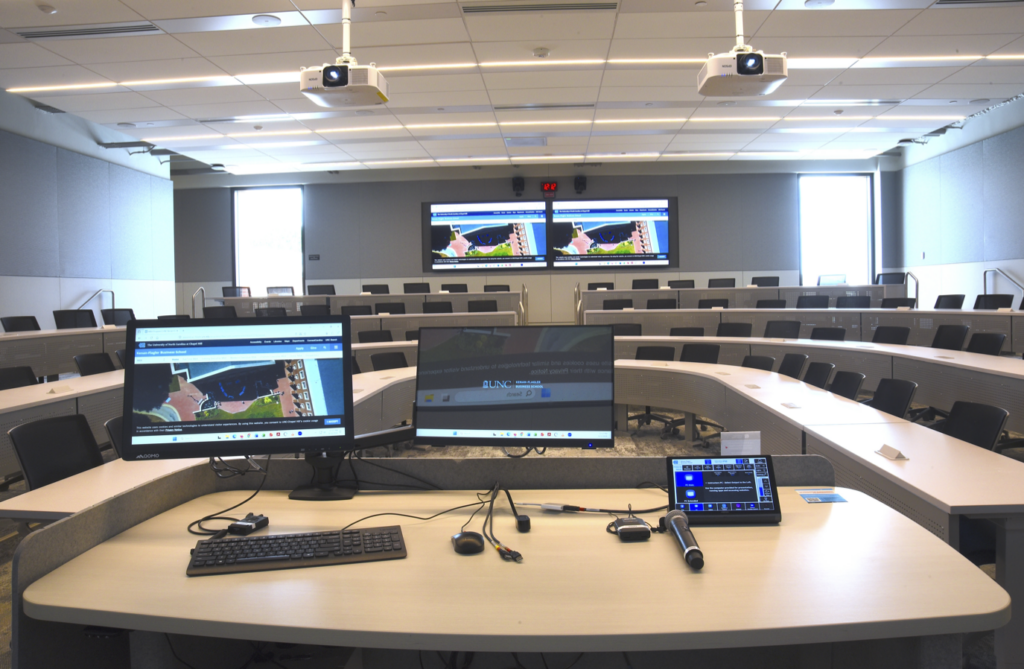
UNC Kenan-Flagler Business School develops leaders through top-ranked undergraduate, masters, MBA, PhD, and Executive Development programs. With learning spaces in Chapel Hill, Charlotte, and online, the school supports a wide range of in-person, hybrid, and executive learning environments. Faculty rely on flexible classroom technology to present, annotate, and engage students across these programs. To support this need, UNC Kenan-Flagler implemented the QOMO PresenStation 600F3 as a seamless interactive podium monitor solution.
Challenge
UNC Kenan-Flagler needed an interactive podium monitor that could integrate seamlessly with its existing classroom systems. The team frequently encountered compatibility issues with other annotation devices, including personal Surface tablets and iPads, which often required extra workarounds from the AV team to function properly.
Solution
UNC Kenan-Flagler implemented the QOMO PresenStation 600F3 to give faculty a dedicated classroom annotation solution that works smoothly with their existing systems. The PresenStation allowed instructors to annotate on their desktops, use a digital whiteboard, and markup PowerPoint presentations through the QOMO FlowWorks Pro software. Faculty can also save their annotations and upload them to course materials, making them easy to revisit during class and after instruction. The responsive writing experience, low latency, and larger screen size help create a more natural and reliable teaching workflow.
Key Product Benefits
- Seamless integration with UNC Kenan-Flagler’s existing classroom systems.
- Responsive interactive technology that provides a precise and natural writing experience.
- Larger screen size than the personal tablets faculty previously used.
- Ability to turn off capacitive touch for digital pen writing without palm interference.
- Native connectivity to other classroom displays.
- QOMO FlowWorks Pro software for annotating, digital whiteboarding, saving notes, and uploading materials to courses.
Results
For UNC Kenan-Flagler, QOMO PresenStation 600F3 has become a strong fit for higher education classrooms where faculty need a simple, responsive, and system compatible annotation solution. “The ease of use was also a factor in its popularity among our faculty who annotate. They quickly learned how to use it.”
Want to schedule a product demo? Schedule a Demo | Ready to get a quote? Get a quote